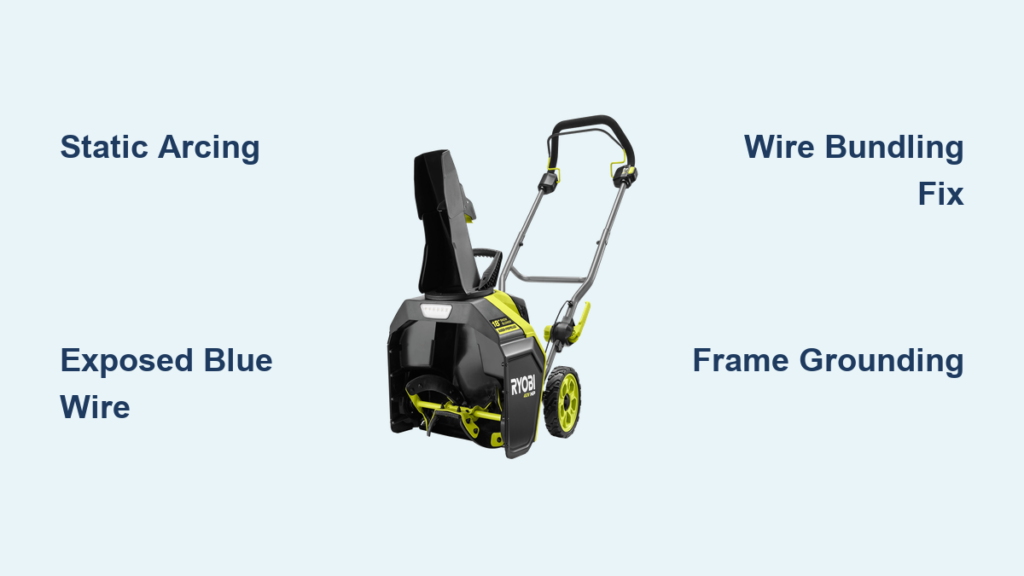
You’re halfway through clearing your driveway in light, powdery snow when your Ryobi snow blower suddenly dies. The battery shows full charge. No error codes appear. You restart it, and the same thing happens the moment it touches snow again. This frustrating pattern is one of the most common complaints with battery-powered snow blowers in dry winter conditions.
The good news: this issue is fast, cheap, and easy to fix without replacing any parts. The real cause isn’t a bad battery or a failing motor. It’s static electricity arcing into an exposed wire, which tricks the controller into a safety shutdown. Below, you’ll learn how to diagnose this problem, apply a 5-minute field fix, and create a permanent solution that works all winter.
Recognize the Static Stall Pattern
Shuts Off in Light, Dry Snow Only
Your Ryobi snow blower runs perfectly indoors or in warm storage. The instant it contacts dry, fluffy snow, the motor sputters and cuts out. This isn’t a clog or mechanical overload. The behavior points directly to environmental static discharge, not a hardware failure. The colder and drier the air, the worse the problem becomes.
Unlike gas models that stall from carburetor issues, battery-powered blowers are highly sensitive to electrical noise. When static builds on the plastic auger housing and discharges into control wiring, the controller reads it as a fault and kills power immediately.
Battery Shows Full Charge, Still Fails
You press the battery indicator and see a solid green light showing full capacity. Yet the machine won’t stay running. Swapping in a different battery doesn’t help. This rules out degraded cells or poor power connections. The actual problem lies in the control circuit’s vulnerability, not in power delivery.
The red and black power wires deliver current without issue. However, the blue data wire that carries communication signals has no insulation on one end and sits dangerously close to grounded metal parts.
No Error Codes, Just Sudden Shutdown
There are no beeps, flashing lights, or diagnostic messages. Just an abrupt motor cutoff. This silent failure is the signature of electromagnetic interference or static discharge. The controller never logs an error because it doesn’t detect a hardware fault. It simply reacts to a false signal coming through the data line.
If your snow blower restarts immediately after stalling and runs until it contacts snow again, static is almost certainly the culprit.
Exposed Data Wire Is the Weak Link

Blue Wire Lacks Proper Insulation
Once you open the housing, you’ll spot the blue data wire responsible for battery-to-controller communication. It has exposed copper at the terminal end, unlike the red and black power wires, which are fully insulated. This wire is often routed parallel to metal supports or near the frame, creating an easy path for static to jump.
The blue wire likely transmits data such as battery temperature, charge status, or safety checks. But here’s a key detail: the snow blower still runs without this wire connected, proving it’s not essential for motor function. It only supports system monitoring.
Static Arcs to Data Line From Frame
In dry winter air, the plastic housing acts like a conveyor belt for static charge. As snow particles scrape across the surface, electrons accumulate, much like rubbing a balloon against your hair. When that charge finds a path to ground, such as the nearby blue wire, it arcs. This sends a voltage spike straight into the controller.
That spike mimics a fault condition, forcing the system to shut down to protect itself. The motor isn’t failing. The brain is simply getting confused by electrical noise on the data line.
Power Wires Are Shielded, Data Line Isn’t
The red and black wires are thick, fully insulated, and built to handle current loads. The blue data wire is thin, low-gauge, and not shielded against interference. This makes it act like a perfect antenna for static discharge. Even a spark too small to see can disrupt the signal enough to trigger an immediate shutdown.
Manufacturers may design these units for gradual indoor use, but real-world winter conditions expose this vulnerability, especially in high-static environments with dry powder.
Immediate Fix: Isolate the Wiring
Bundle Wires With a Zip Tie
You don’t need a full disassembly to make progress. Remove just the right-side cover by taking out one bolt, then release the clip marked with an arrow. Reach inside and locate the wire bundle near the metal support pole.
Grab a nylon zip tie and bundle the red, black, and blue wires tightly together. This reduces the chance of the blue wire acting as an isolated target for static. Keep the bundle compact and positioned away from any metal surfaces.
Secure the bundle with a second zip tie to a non-conductive part of the housing or an existing harness. Make sure it doesn’t rest against the frame or auger housing.
Pull Wires Away From Metal Supports
Check that the blue wire doesn’t drape over or touch any metal screws, brackets, or the central pole. Even a few millimeters of clearance can prevent arcing. Route the bundle along the plastic housing wherever possible, using zip ties every 2 to 3 inches to maintain separation.
If the wire naturally sags toward metal, reposition it with a longer zip tie or clip. The goal is simple: zero proximity to conductive surfaces.
Test Before Full Reassembly
After securing the wires, close the cover but leave the bolt loose. Plug in the battery and simulate operation without waiting for actual snow. Tap the housing or run a plastic comb across it to generate static. If the motor keeps running, the fix is working.
Then take it outside and test in real light snow. If the blower runs continuously without stalling, you’ve successfully broken the static path.
Permanent Fix: Ground the Frame
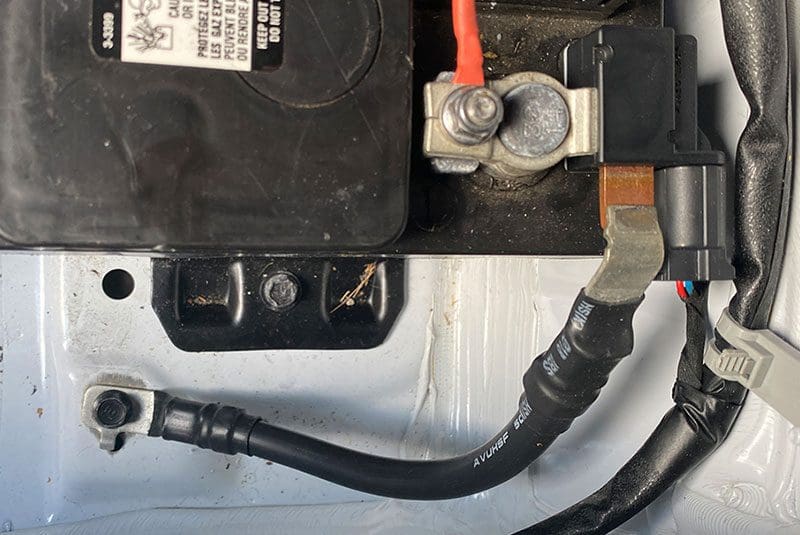
Connect Ground Wire to Black Battery Terminal
For long-term reliability, ground the plastic housing so static dissipates before it can build up. Use 18-gauge stranded copper wire, which is flexible and easy to route through tight spaces.
Solder one end directly to the black battery wire terminal (negative ground). If you don’t have a soldering iron, use a crimp connector sealed with heat shrink tubing for a safe, solid connection.
Attach Ground to Frame and Housing
Run the other end of the ground wire to a metal screw on the frame. Scrape off any paint or coating to expose bare metal for proper contact. Then attach a short jumper to a screw on the plastic housing side, ensuring a metal-to-metal connection.
This creates a continuous ground path. Static on the housing flows safely to the frame, then to battery ground, completely bypassing the data wire.
⚠️ Warning: Never ground the controller housing or battery casing unless you’ve confirmed it’s safe. Some electronics use floating grounds, and improper grounding can cause dangerous shorts.
Use Multiple Ground Points If Needed
In areas with extreme static, add a second ground wire on the opposite side of the housing. More contact points mean faster static dissipation. Make sure all connections are tight and free of corrosion.
This grounding approach doesn’t modify the electrical system. It simply adds a safe discharge path, similar to a lightning rod for tiny sparks.
Optional: Insulate the Blue Wire
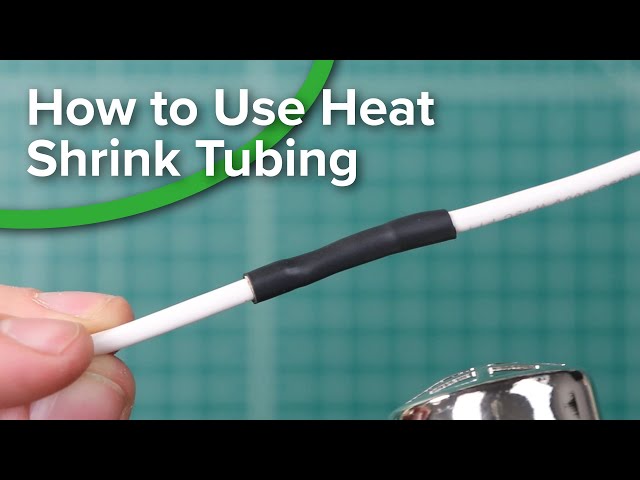
Cover Exposed End With Heat Shrink
Even with proper isolation and grounding, adding extra insulation to the blue wire provides added safety. Slide 3/16-inch heat shrink tubing over the exposed terminal end before reconnecting it.
Use a heat gun or hair dryer to shrink the tubing snugly in place. This creates a physical barrier that prevents accidental contact and reduces arcing risk in extreme conditions.
Avoid Tape—Use Durable Insulation
Electrical tape tends to peel in cold weather or shift over time. Heat shrink stays firmly in place and provides a permanent seal. It’s cheap, widely available, and takes only seconds to apply.
If the connector must stay accessible, fold the insulated wire away from metal and secure it with a zip tie loop that holds it firmly in position.
Consider Aftermarket Battery Compatibility
Since the snow blower runs without the blue data wire connected, aftermarket batteries that lack data communication may work just fine. This fix makes it safer to use third-party power packs, especially if you’ve already confirmed the data line isn’t critical for your setup.
Just verify that voltage and connector type match. Most Ryobi snow blowers use a 40V Max system.
Quick Access Without Full Teardown
Remove Right-Side Cover in Under 2 Minutes
You don’t need to disassemble the entire machine. Remove one 10mm bolt on the right panel. Then use a flathead screwdriver to gently pry at the arrow-marked clip and release the cover.
The wire bundle is now fully accessible. You can reposition and zip-tie it without touching the auger, motor, or battery housing at all.
Anchor Wires to Existing Frame Points
Use existing screw heads or plastic ridges as anchor points for your zip ties. Wrap the tie around a non-moving component, never the auger shaft or drive belt. Keep tension light to avoid putting strain on the wires.
If no good anchors exist nearby, drill a small hole in a non-structural plastic area and pass the zip tie through it. Avoid metal unless it’s already grounded.
Reassemble and Test Immediately
Snap the cover back into place and tighten the bolt. Plug in the battery and do a quick dry run. Then test it in light snow. If the machine runs without interruption, the fix is complete.
The only tools you need are a screwdriver and zip ties. This is a true 5-minute field repair.
Prevent Future Shutdowns
Operate in High-Humidity Snow When Possible
Wet, heavy snow doesn’t generate static. If you can delay clearing until after a temperature rise or during a snowstorm with higher moisture content, you’ll avoid the issue naturally.
But when you’re stuck dealing with cold, dry powder, rely on your wiring fix to keep the system running smoothly.
Regularly Check Wire Position
Vibration and movement can gradually shift zip ties over time. Every few uses, remove the side cover and confirm the wires are still clear of metal. Replace any worn or stretched ties immediately.
Cold temperatures make plastic brittle, so avoid overtightening zip ties during winter use.
Store With Battery Disconnected
When you’re done for the season, remove the battery from the unit. This prevents any residual current draw and protects the controller from stray voltage. It also makes seasonal storage safer and helps extend overall battery life.
Wipe down the housing with an anti-static cloth if you have one. A dryer sheet also works well to reduce charge buildup on plastic surfaces.
Frequently Asked Questions About Ryobi Snow Blower Shutting Off
Why does my Ryobi snow blower shut off in light snow but not heavy snow?
Light, dry snow creates more static electricity when it rubs against the plastic housing. Heavy snow has higher moisture content, which reduces static buildup. The shutdown happens when static arcs to the exposed blue data wire, triggering a safety cutoff. This is why the problem only appears in cold, dry, powdery conditions.
Can a bad battery cause my Ryobi snow blower to keep shutting off?
A weak battery can cause shutdowns, but it typically shows a low charge indicator or reduced power output. If your battery shows a full green light and the machine runs fine indoors but dies in snow, the issue is almost certainly static interference, not the battery itself. Replacing the battery won’t solve a static-related stall.
Is it safe to use my snow blower without the blue data wire connected?
The snow blower operates normally without the blue data wire connected, suggesting it’s not essential for motor function. The data line mainly handles battery communication and safety monitoring. However, you may lose features like accurate battery level readings or temperature-based protection. For most users, the trade-off is acceptable for reliable operation.
How do I know if static electricity is causing my snow blower to stall?
Three key signs point to static: the machine runs fine indoors, it stalls specifically in light dry snow, and it restarts immediately without error codes. You can confirm by tapping the housing with a plastic object to generate static and seeing if the motor cuts out. If grounding the frame or isolating the wires solves the problem, static was the cause.
Will heat shrink on the blue wire prevent the shutdown?
Heat shrink adds an extra layer of insulation and reduces the risk of arcing, but it’s not a complete solution on its own. The most effective approach combines wire isolation (zip ties), frame grounding, and insulation. Heat shrink is best used as a supplementary safeguard after the primary fixes are in place.
Can I ground the controller board to fix the static issue?
Do not ground the controller board unless you’ve confirmed it uses a common ground reference. Some controllers use floating grounds, and improper grounding can cause shorts or permanent damage. The safe approach is grounding only the plastic housing and frame to the black battery terminal, which creates a discharge path without affecting sensitive electronics.
Key Takeaways for Fixing Your Ryobi Snow Blower Shutdowns
Your Ryobi snow blower keeps shutting off because static electricity arcs to an exposed blue data wire, not because of a battery or motor failure. The fix takes minutes and costs almost nothing. By bundling the wires with zip ties, pulling them away from metal, and adding a ground wire from the housing to the battery’s negative terminal, you eliminate the static path entirely.
Your next step: Grab a screwdriver and a few zip ties, open the right-side cover, and inspect the wire bundle near the metal support pole. If you see an exposed blue data wire sitting close to metal, you’ve found your problem. Apply the isolation fix first, test in light snow, and then add a permanent ground wire for long-term reliability.